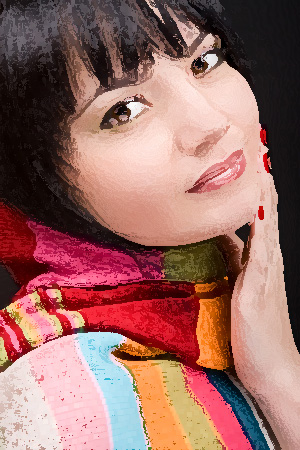
| Black & White, Sepia, Dry Brush and Pop Art Canvas Print Effects: |
 |
| Photo Mosaics Image Effect:
|
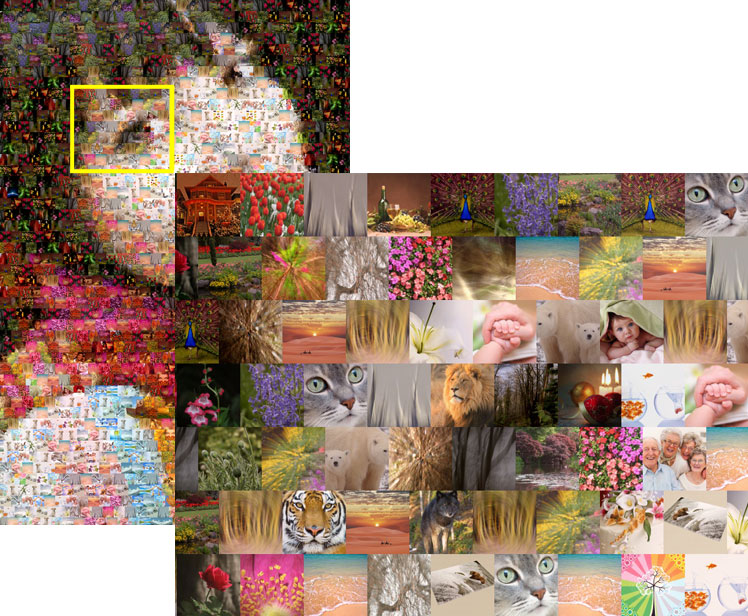
| We can create a cool Photo Mosaic effect using your favorite images. A Photo Mosaic is a group of small pictures (called tiles) arranged in such a way to create a larger picture (matched from a source photo). We create your Photo Mosaic by using pictures that you provide (tiles and source), or pictures from our database, whichever you prefer.
To place a Photo Mosaic order:
- Upload your source image, select "Photo Mosaics" effect, and continue to checkout to finish your print order.
- Once you have received your order details, submit the tile photos (minimum 200 pictures unless you want a lot of repetition) through our FTP service, an online file storage site like dropbox.com, or mail them on a DVD. Tile images do not need to be hi-resolution, anything above 100KByte will work perfectly.
- We will send you a digital proof of the completed mosaic before we print your order.
Please note:
We may alter the source photo or tile photos, adjust contrast and brightness, and apply certain digital filters.
We will not print your mosaic until you have approved the proof.
We would recommend ordering a minimum 36x24" print size for Mosaics. Due to the canvas texture and size of the tile photos, a smaller print size may not show much detail.
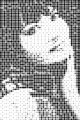
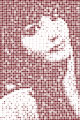
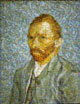
Please take a look at our sample(s) below:
|
|
|
Photo Mosaics Image Effect
|
 |
|
| How to order & Pricing: |
|
| To have the mosaic effect applied to your image, upload your source image online, and select the Mosaic Effect below the Size Selection chart. Once we have received your order details, we will email you instructions for sending the tile/cell images by FTP, on a DVD, or anther method. We will provide a digital proof of your photo mosaic once we have received all your tile images.
Pricing:
Pricing for Mosaic Prints has two parts:
|
| Photomosaic Image Effect FAQs: |
|
Q1 : What is the source in a Photo Mosaic?
The source is a single image that will be used to map the many cells or tiles in order to create a Photo Mosaic. (In other words, the final image constructed by the arrangement of the tiles.)
Q2 : Which is better EPS or XPS?
In general, the compressive strength of XPS is greater than that of EPS.
Q3 : What are cells/tiles?
Cells or tiles are the many small pictures that make up the source picture. Please send only .jpg images, and we recommend small size images under 300 pixels (height or width). You can download and re-size files using the free software: http://www.irfanview.com/
Q4 : How do I send the cell/tile pictures for my Photo Mosaic?
You can send your tile images through FTP, mail a DVD, or use an online storage service like dropbox.com. We do not recommend sending 100s of images by email. Please make sure all photos are cropped properly, the orientation is correct, and you have a variety of different colors and styles within selected images.
Q5 : How many photos do I need for a Photo Mosaic image effect?
The more the better! At minimum, we require 300 photos. To create the Picture Mosaic, the total cell count will range from 500 to 2000 depending on the final size you choose, but cells may be repeated if necessary.
Q6 : What file format do you accept for the tile images?
We accept only .jpg files for the tile images, and we recommend small files under 1 MB (you can re-size them if they are too large). Please do not send extremely large .tiff files, as each individual cell will be tiny once the mosaic is created.
Q7 : What will be the final size of any cell or tile after print?
This depends on the number of images and the final print size. For example, if you provide 320 photos and ask for 20x16 inch print size, each individual square cell size will be 1x1". The 20x16" print will have 20 rows and 16 columns, or 320 cell images.
Q8 : How long does a Photo Mosaic take from ordering to shipment?
Once we received the tile images, it takes 2-3 business days to create the mosaic and send you the first proof/design by email. Please inform us if you require a rush order.
Q9 : How do I place an order for PhotoMosaics?
Just upload the source image online, select the final print product (canvas gallery wraps, plaques or fine art print) and under Optional Effect select Photo Mosaic Effect. Then complete your checkout. Once we have received the order details, we will send you instructions on how to send the cell or tile images. Once we have all the cell images and have constructed the mosaic, you will receive an emailed proof through email, prior to printing.
Q10 : I don't have 1000s of tile images, what are my options?
If you have a main image but don't have 1000s of tiles images, we can help!. We have following image collections, from which we can create a mosaic of your source photo:
- Flowers: 1000 color images of flowers and nature
- Classic art paintings: approx. 2500 classical paintings by Van Gogh, Monet, etc.
- 10 small, black circles from small to large
- 1000s of colored circles, ranging from small to large
- 10 small, red heart shapes, from small to large
- Alphabet-based small images with different sizes and fonts
You may also create new images by cropping the interesting subjects of a given image and saving them as new files. For example, if you have a family photo with five faces, you can crop and create new images for each face, or if you have a scenery image with many flowers in it, you may crop and save various close up flowers or sections; this will increase the number of tile images.
Q11 : What if I want to print a company logo or quote onto the mosaic?
The logo or quote will be added onto the mosaic after it has been created. It will not blend in with the image cells. You can make a note of it in the order form when making your order.
Q12 : Do you suggest portrait or landscape orientation for photo mosaic tiles?
Both portrait (vertical) and landscape (horizontal) oriented images work for the mosaic effect. In most cases there is no need for photo editing if they are from a recent digital camera or are nicely scanned.
|
|
| If you don't find the answer you're looking for here, please contact us. |
|